Dashboard 🖥
Rise CRM Logtracker is a powerful tool that provides a comprehensive audit trail of system activity, enhancing security, transparency, and overall CRM management efficiency.
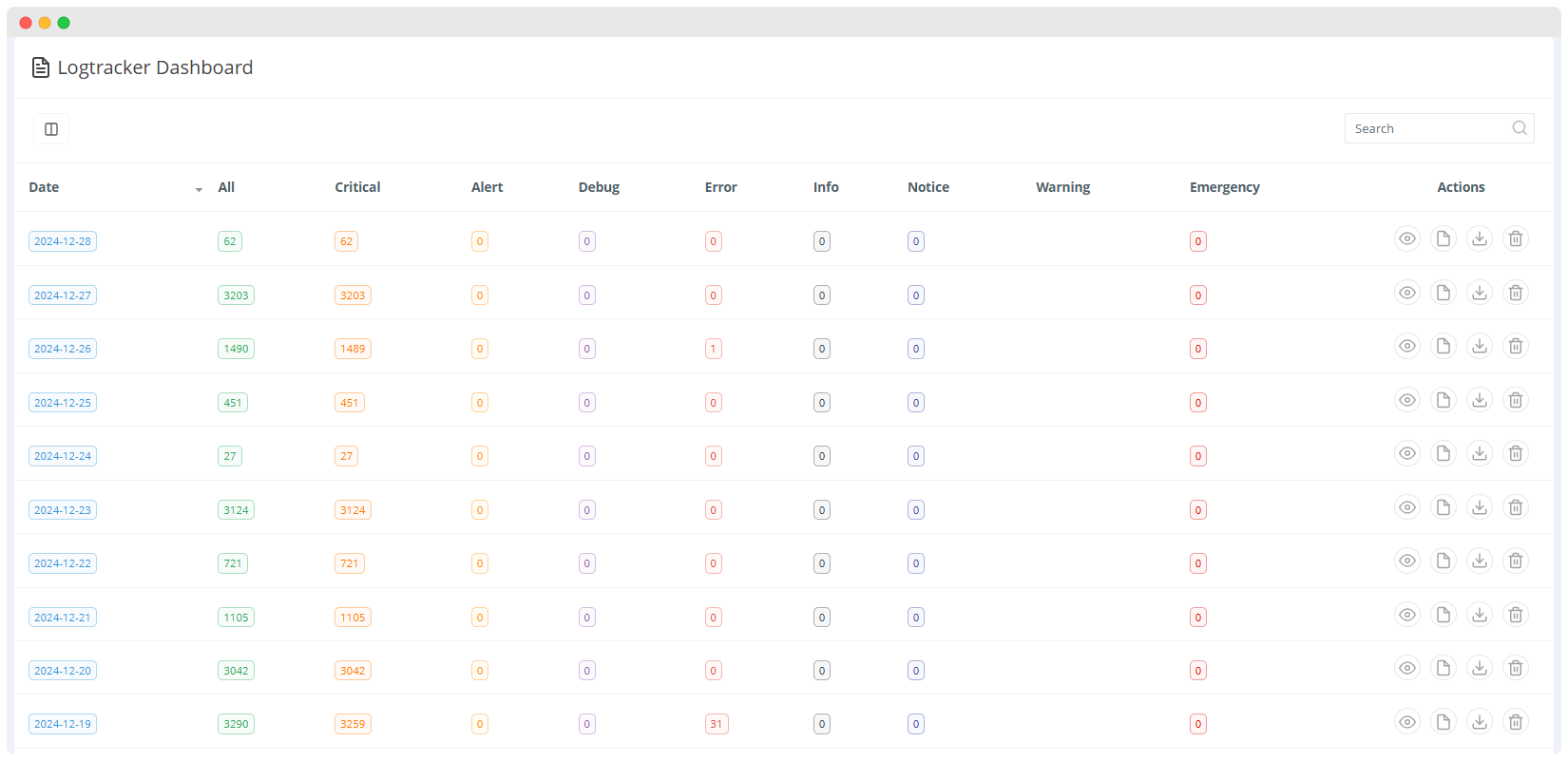
Data Columns
- Critical: Indicates number of major problems requiring immediate attention.
- Alert: Signals potential problems that need to be addressed promptly.
- Debug: Logs for troubleshooting and debugging purposes.
- Error: Indicates errors that may impact functionality.
- Info: Provides number of informational messages.
- Notice: Display notice for potential issues that require monitoring.
- Warning: Display warning for potential problems that may lead to errors.
- Emergency: Indicates severe system issues that require immediate action.
- Action:
- You can view the information of specific log 👁🗨
- You can download error as document file by click on document button 📄
- You can delete the error log file by click on delete button 🗑
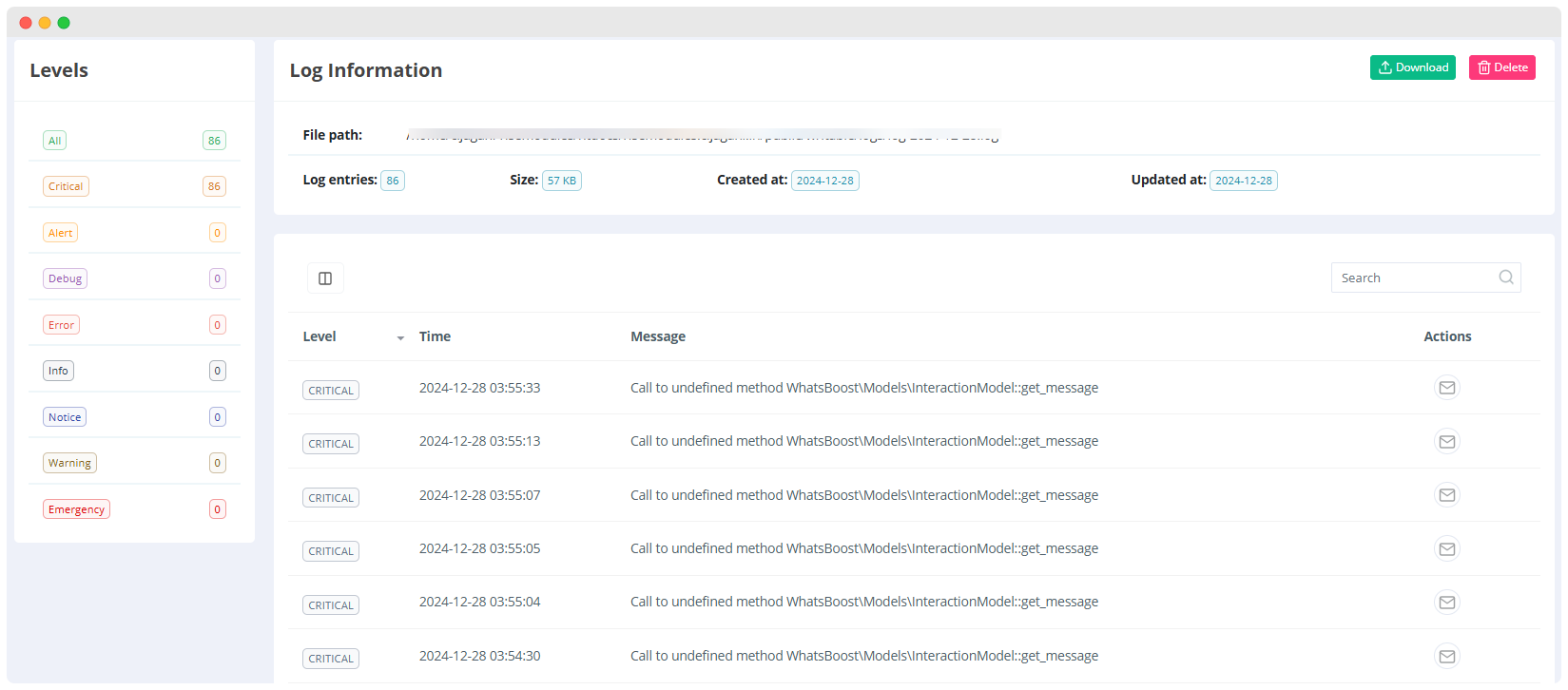
Levels
It displays various logging levels, including All, Critical, Alert, Debug, Error, Info, Notice, Warning, and Emergency. Each level has a count associated with it.
1.Critical, Alert, Debug, Info, Error, Notice, Warning, Emergency:
- These buttons allow you to filter logs by severity level.
- For example, selecting Critical indicates a severe error that requires immediate attention.
2.Log Information:
- Provides details about the log file, including its path, number of entries, size, creation date, and update date.
- Download: You can download the log file for offline inspection.
- Delete: You can delete the log file from the system to save space or remove irrelevant data.
Log Table
- Displays a list of recent log entries with details:
- Level: It displays the severity level of the log message (CRITICAL in this case).
- Time: It displays the timestamp when the log entry occurred.
- Message: The content of the log message. This example shows "Call to undefined method WhatsBoost\Models\InteractionModel::get_message" indicating potential issues in the application.
- Actions: Provides options to take actions on the log entries, such as sending an email notification or performing other relevant actions.
Action
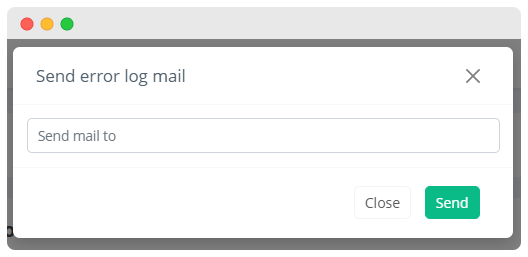
- Send Emails
- You can send error for error log or error message to specific developer or admin easily