Notifications
The app can send a notification to your phone when:
- A customer sends a new message in a chat you can see.
- A chat is assigned to you by someone else.
Notifications show with a sound, even while the app is open on another screen.
Setup by the platform admin
Notifications only work when your platform admin has turned on Push notifications in System Settings → Mobile App on the website. See Before You Start. If you never get notifications, ask your platform admin.
Turn On Notifications
After you sign in for the first time, your phone asks whether the app may send notifications. Tap Allow.
You only see this question once.
Open a Chat From a Notification
Tap a notification to open that chat in the app. This works even when the app is closed.
Notification Settings
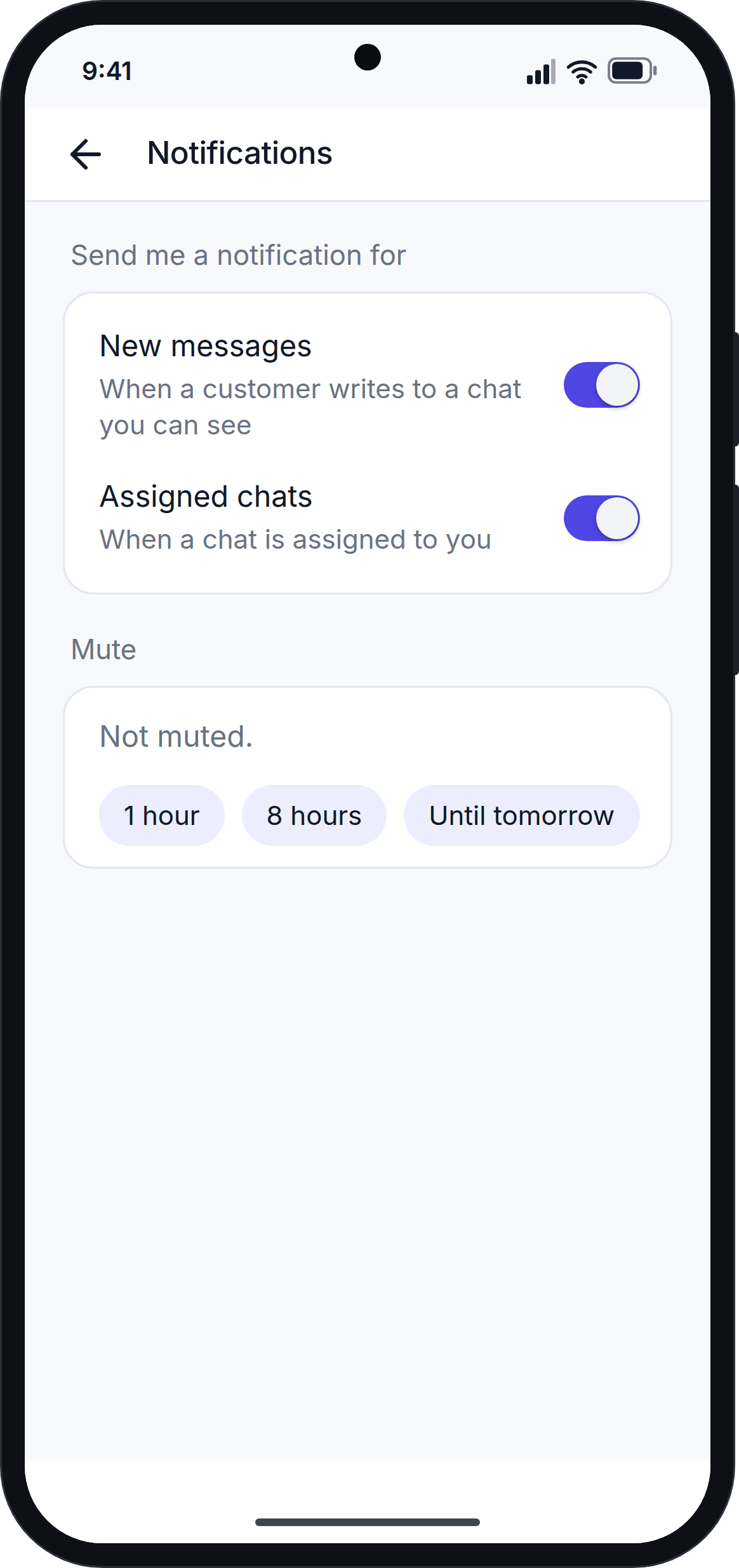
Go to More → Notifications.
| Setting | What it does |
|---|---|
| New messages | Turn on or off notifications for new customer messages. |
| Assigned chats | Turn on or off notifications when a chat is assigned to you. |
| Mute | Stop all notifications for 1 hour, 8 hours, or until tomorrow at 08:00. While notifications are muted, the screen shows when the mute ends, and an Unmute button. |
Each change is saved straight away.
These settings apply to this phone only. If you use the app on another phone, that phone has its own settings.
"Notifications Are Off"
If you see an amber card that says "Notifications are off", the app cannot send you notifications. This happens when:
- You did not allow notifications when your phone asked, or you turned them off in your phone's settings.
- Your phone is not registered for notifications yet.
Tap Turn on.
- If your phone has not asked yet, it asks for permission. Tap Allow.
- If you said no before, the app opens your phone's settings. Turn on notifications for the app, then go back to the app.
The card goes away when notifications are working. If they still cannot be turned on, the card tells you why.
If Notifications Do Not Load
If you see "Unable to load notification settings.", check your internet connection and tap Try again.
Next Step
Continue with Team Roles and Permissions.