Voting System
Allow users to upvote and downvote feature requests to indicate demand and priority.
How Voting Works
Users can vote on feature requests to show support.
- Vote - Support this feature
Voting Requirements
Who can vote:
- Logged-in users (default)
- Configurable per board in Board Settings
Vote limits:
- One vote per user per request
- Can remove vote
Voting on Requests
As a User
- Browse feature requests on a board
- Click ^ to add the vote,again click ^ to remove that vote
- Vote count updates immediately
- Vote is saved to your account
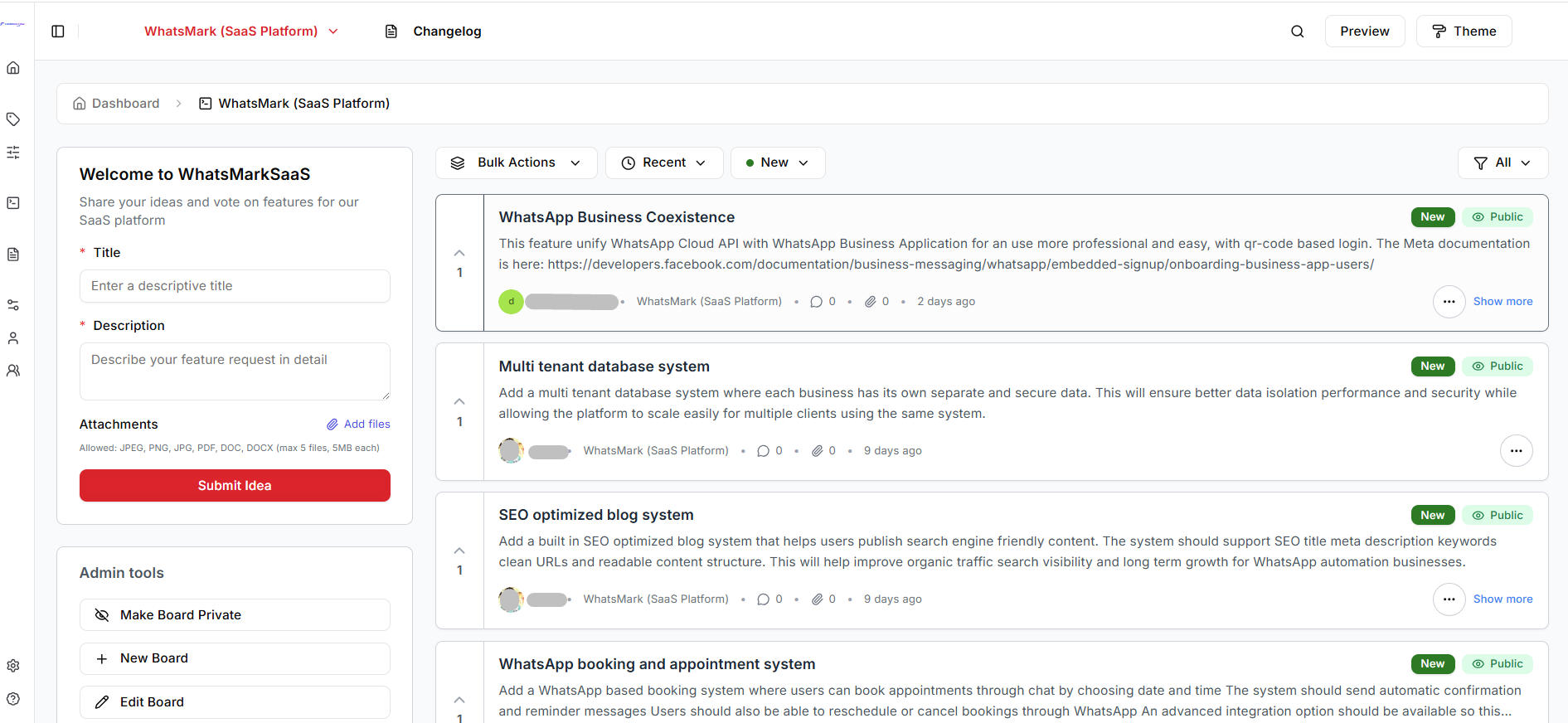
Vote Display
Vote counter shows:
- Total Count of votes
Visual indicators:
- Vote submitted successfully! (notify)
- Highlighted button if you voted
- Color coding (grey for remove vote, theme color for apply vote)
Admin Controls
Enable/Disable Voting
Configure voting per board:
- Edit board settings
- Toggle Display count of votes
- Save
Voting in Roadmap
Requests can be sorted by vote count on:
- Board views
- Roadmap
- Dashboard
High-vote requests get more visibility.
Voting Analytics
Track voting metrics:
- Total votes cast
- Most voted requests
Next Steps
- Threading & Replies - Engage in discussions
- User Mentions - Tag users in discussions